
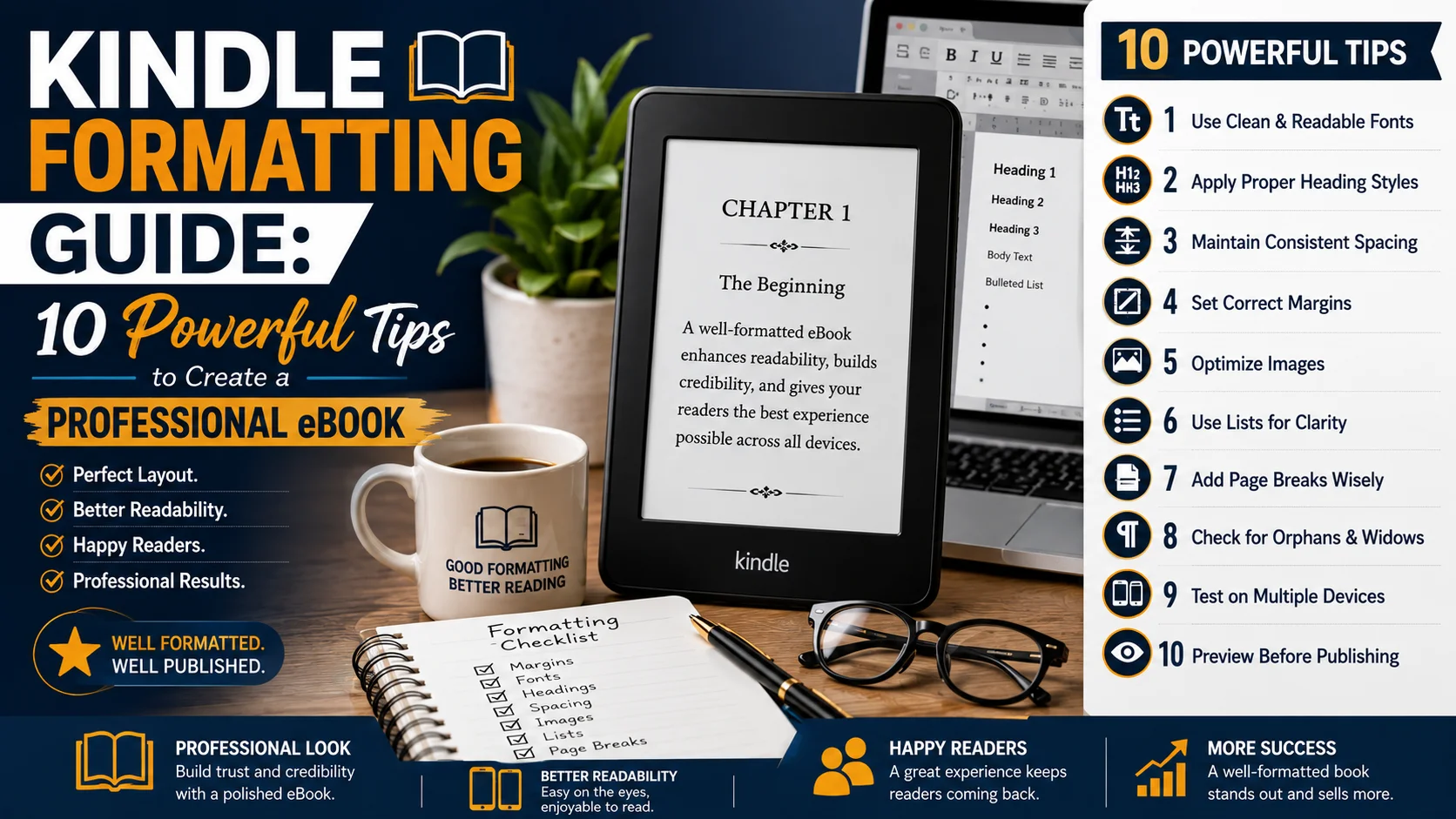
Kindle Formatting Guide: 10 Powerful Tips to Create a Professional eBook
Being a published author, especially an eBook author, is an exhilarating experience. Once you’ve written your manuscript, the next crucial step is Kindle Formatting. A professional format makes your book look clean, readable, and ready for Amazon Kindle readers.
Kindle books are not the same as printed books, since they will adapt to the screen size and reader’s settings. You can use the formatting to ensure that your text, images, and chapters are displayed correctly on all devices.
What Is Kindle Formatting?
Kindle Formatting is preparing your manuscript for publishing on Kindle. It includes chapter arrangement, readability enhancements, navigation, and eBook compatibility with Amazon KDP.
The following are examples of well-formatted eBook elements: clear headings, proper spacing, a clickable table of contents, and correctly placed images.
Why Kindle Formatting Matters
Formatting is important to make it easier to read. A book that isn’t formatted correctly could have navigation issues, spacing problems, and broken layouts.
Professional KDP Formatting helps authors create a polished eBook that appears trustworthy and easy to read.
Kindle Formatting vs Print Formatting

Fixed pages, margins, and layouts in print books. Flexible design with Kindle books adapts to various devices.
For Kindle books:
- Responsive text layout.
- Clear chapter structure.
- Proper images.
- Easy navigation.
Prepare Your Manuscript Before Formatting
Before starting the formatting process, clean your manuscript. Eliminate unnecessary spaces, correct errors, and arrange chapters.
Choosing Kindle File Formats
A clean file means the Kindle Formatting process will be more efficient and will minimize errors.
Some of the Kindle File Formats available to you are as follows:
DOCX, EPUB, and Kindle Create files are popular file formats among authors.
DOCX is easy to use for newbies. EPUB is a professional eBook structure. MOBI was an older Kindle format; EPUB is the format currently popular for contemporary e-publishing.
Tip 1: Start With a Clean Manuscript
The first step in creating a professional eBook is to have a clean manuscript. Be consistent in your formatting, delete extra formatting, and structure your work before submission to Amazon KDP.
Tip 2: Format Chapters Properly
Chapter titles make things more readable and easier to navigate. Well-organized chapter formatting also aids in developing a better table of contents.
Tip 3: Create a Professional Table of Contents
To create a Professional Table of Contents, proceed as follows:
The table of contents is an essential feature that should be included in any Kindle e-Book. It will help readers navigate through your book easily and quickly.
The table of contents on a Kindle should be hyperlinked. Readers should, if they choose, be able to click on a chapter title to go to that chapter.
Don’t type in page numbers in your TOC; instead, format the headings as you normally would. Unlike printed books, Kindle books have no pages!
The table of contents is easier to navigate and will make reading more professional.
Tip 4: Format Chapter Titles Correctly
Chapter titles should give your readers an idea of the book’s content. They should be uniform throughout the entire eBook.
Follow the same font style, size, and spacing for all chapter headings. Don’t add more spaces or stray designs that could disrupt the conversion.
You should also ensure your chapters are properly formatted, as this will help Amazon identify them during KDP Formatting.
Tip 5: Add and Optimize Images Properly
For cookbooks, kids’ books, guides, and educational books, images can be a great way to keep a book interesting.
But images should be well prepared before posting.
Ensure that your pictures contain:
- Good quality.
- Correct size.
- Clear placement.
- Suitable file format.
If your book contains large images, they can slow it down or cause display problems. Always look at your pictures before posting them.
Images are corrected for various Kindle devices with Professional Kindle Formatting.
Tip 6: Use Proper Paragraphs and Spacing
Clear text holds readers’ attention. An eBook that contains lengthy blocks of text may be hard to follow.
Avoid extremely long or overly dense paragraphs. Don’t use several spaces or manual line breaks.
Kindle books should have a simple and clean layout. As the reader, you should be concerned with what you are saying rather than the design problems.
Presenting information in paragraphs makes it easier to read on cell phones, tablets, and Kindle readers.
Tip 7: Add Working Hyperlinks
Hyperlinks are good in non-fiction books, guides, and for learning.
You can include links to:
- Websites.
- References.
- Author pages.
- Additional resources.
Before publishing, always proofread your links. A bad reader experience can be caused by broken links.
Hyperlinks work seamlessly on all devices when a file is formatted correctly as an e-Pub.
Tip 8: Format Front and Back Matter
A professional presentation of your eBook is achieved with front and back matter.
Front matter can contain:
- Title page.
- Copyright page.
- Dedication.
- Introduction
The following items may be used in the back matter:
- Author biography.
- Other books.
- Contact information.
- Reader reviews request.
These sections help readers connect with your brand and learn more.
Tip 9: Convert Your Book to EPUB Correctly
One of the most widely used eBook formats these days is EPUB. It has a flexible layout and is very Kindle-proof.
During conversion, check:
- Chapter breaks.
- Images.
- Fonts.
- Spacing.
- Navigation.
If your book is uploaded to Amazon KDP, it needs to be created in the right format: A good EPUB file will ensure that your book looks the right way.
Tip 10: Preview Your Kindle Book Before Publishing
Amazon KDP offers a preview option that lets you see how your book will look on various devices.
Look for:
- Missing images.
- Wrong spacing.
- Broken links.
- Incorrect chapter order.
These problems are better addressed prior to publication to provide the reader with a better experience.
Common Kindle Formatting Mistakes to Avoid

Simple formatting errors can become problems for many authors.
Avoid:
- Using too many fonts.
- Inserting hand page numbers.
- Using multiple spaces.
- Uploading unclean files.
- Failure to take advantage of the preview stage.
- Errors can impact the appearance of your eBook.
Why KDP Formatting Improves Your Publishing Quality
KDP Formatting is not merely about making a file work. It’s all about making a good reading journey.
A professional Kindle book is attentive to detail. It helps readers enjoy your content without distractions.
Proper formatting is an important consideration for fiction, business books, guides, and educational material.
When it comes to formatting your Kindle books, you cannot do any better than with these 10 valuable tips you will be offered here.
Advanced Kindle Formatting Tips for a Professional eBook
Having the basic formatting done is just the beginning of creating a professional Kindle eBook. The last step is to fine-tune the quality, ensure you’ve covered all details, and make your book easy to read.
Many authors only consider uploading their manuscript. However, to become a successful publisher, more attention is needed. You don’t want your book to have any minor formatting issues that could impact readers.
A professional e-book should look great on all devices. You can open your book on the Kindle reader, tablet, cell phone, or computer. Your layout should function correctly in all areas.
Advanced Kindle Formatting is a service to help you format your book in a way that makes it look polished and professional, to meet reader expectations, and to comply with Amazon KDP formatting requirements.
How to Make Your Kindle eBook More Reader-Friendly
The user experience should come first. A good eBook will be easy, clean, and comfortable to read.
Steer clear of excessive design details. Many styles, colors, or decorations can cause issues during conversion.
A successful Kindle book has:
- A simple layout.
- Clear headings.
- Consistent formatting.
- Easy navigation.
- Readable text.
The aim is to ensure your content is enjoyed without the reader noticing any technical problems.
Good formatting should be invisible! Readers will be interested only in your words, not your layout.
This is a book about designing eBooks for readers.
There are no pages in Kindle books as there are in printed books. The content is dependent on the device and reader configuration.
Understanding Responsive eBook Design
Readers can enlarge the text, for instance. The text should flow smoothly as it changes, with no abrupt transitions.
That is why responsive design is a key element in Kindle Formatting.
With a responsive eBook, you can:
- Flexible text adjustment.
- Better mobile reading.
- Proper image display.
- Smooth navigation.
Proper styles, not manual formatting, will help your book adapt properly.
Fixing Common Kindle Formatting Problems

After uploading their book to Amazon KDP, many authors encounter formatting issues. The problems are typically related to incorrect manuscript preparation.
Common problems include:
- Broken chapter headings.
- Incorrect spacing.
- Missing images.
- Unwanted blank pages.
- Poor table of contents.
- Wrong text alignment.
These problems can be solved by carefully reading your manuscript and testing your final file.
Always proofread your book before it is published. Prevention saves time and thus avoids negative reader experiences.
Troubleshooting KDP Formatting Errors
Amazon KDP has tools to identify issues before publishing. When formatting warnings appear in your book, take a careful look at each warning.
These are some of the frequent KDP issues:
- Unsupported file elements.
- Incorrect image sizes.
- Navigation errors.
- Conversion problems.
- Font issues.
Typically, these errors can be reduced with a clean EPUB or DOCX file.
Professional KDP Formatting is about ensuring that your files are correctly formatted for Amazon’s publishing system.
Should You Use DOCX, EPUB, or Kindle Create?
The selection of the workflow depends on the type of book you are producing.
For a simple novel, just the right format DOCX file may be all that’s needed. This is a very convenient method for beginner authors.
For writers looking for a simple formatting solution, Kindle Create is a helpful option. It offers essential tools for chapters, images, and previews.
For professional publishing, EPUB offers more control, though.
EPUB is useful for:
- Complex nonfiction books.
- Educational guides.
- Books with images.
- Advanced book layouts.
The right approach can save time and enhance the results.
Preparing Images, Charts, and Special Content

Just words are not enough for some books. Images, charts, or tables are common in books in the business, cookbook, workbook, and educational genres.
Special consideration must be given to these elements.
Images should be:
- High quality.
- Clear.
- Properly sized.
- Designed to be read on a screen.
Larger files can cause delays in loading. Small pictures may appear blurry.
Tables can also pose problems, as Kindle screens come in a variety of sizes. Simplify the layout as much as possible.
The aim is to make it readable.
Creating a Strong Kindle Book Structure
A professional eBook is well structured. An organized text makes it easier for the reader to understand.
A typical structure will consist of:
- Title page.
- Copyright information.
- Table of contents.
- Introduction
- Main chapters.
- Conclusions
- About the author.
- Additional resources.
This form provides for a smooth reading experience.
This also assists Amazon in organizing your books.
Improving Your EPUB File Quality
Creating the correct EPUB file enhances compatibility and performance.
Before publishing, review:
- Chapter order.
- Text formatting.
- Image placement.
- Navigation links.
- Metadata information.
Metadata contains valuable information such as:
- Book title.
- Author name.
- Description
- Keywords
- Categories
Correct metadata ensures your book will display properly on Amazon.
The Role of Metadata in Kindle Publishing
Formatting and discoverability go hand-in-hand. The beautiful book should be accompanied by appropriate information to reach the readers.
Your Kindle book should have:
- A strong title.
- A clear description.
- Relevant keywords.
- Correct categories.
It’s helpful to use related keywords such as Kindle Create, EPUB, MOBI, and KDP Formatting to describe your publication.
But keywords should come across naturally.
Always put the readers’ needs first when writing.
Final Quality Check Before Publishing
Double-check for errors before publishing.
Check your:
- Cover
- Title page.
- Table of contents.
- Chapter order.
- Images.
- Links.
- Copyright page.
- Author section.
If possible, preview your book on multiple devices.
A final review can identify issues that may not be obvious.
How Professional Formatting Builds Reader Trust
Readers notice quality. A third element that reflects good design in an eBook is an author’s concern for their readers.
When you have an expert format your paper, you are sure to gain confidence. Makes your book more credible and fun to read.
The reading experience is important, whether you’re publishing a novel, a business book, a guide, or a children’s book.
Good Kindle Formatting means you get your content out to readers the best way.
Kindle Formatting Checklist Before Amazon KDP Upload
Before you publish your Kindle book, be sure to:
- Your paper is clear.
- Chapters are properly formatted.
- The table of contents is functional.
- Images display correctly.
- Links are active.
- There are no errors in the EPUB or DOCX file.
- The preview is decent.
- You have completed the information about your book.
By following these guidelines, you can minimize errors and make your publishing experience more efficient.
Frequently Asked Questions About Kindle Formatting
what is Kindle Formatting?
Kindle Formatting refers to the work done to ensure an eBook is readable and looks good on Amazon Kindle devices and apps.
What is the difference between EPUB and MOBI for eBooks on Kindle?
Modern Kindle publishing is mostly done in EPUB format due to its greater flexibility and compatibility.
Is it possible to format my Kindle book myself?
Yes, many authors use Word or Kindle Create. For more complicated books, though, professional assistance can be helpful.
How long will it take to format the Kindle?
The time will vary based on the book’s length and complexity. Simple books can take a few hours; complex books can take longer.
If you’re a Kindle user, does Kindle Formatting impact sales?
While formatting does not ensure sales, it can help to maximize reader satisfaction and reviews.
Which software is best for formatting for Kindle?
It’s the type of book you have and your experience level that determines the best software. Microsoft Word or Kindle Create are easy to use and suitable for beginners. Advanced tools are generally used by professional authors to provide greater control over EPUB creation and layout design.
What is the cost of Kindle Formatting?
Kindle Formatting will vary based on the book’s length and complexity. A standard eBook without images, tables, charts, or special layouts will typically be priced lower; a more complex eBook with such features may require more work.
May I make my Word file into a Kindle eBook?
You can indeed turn a Word DOCX into a Kindle eBook. However, before uploading this document to Amazon KDP, it must be cleaned and formatted correctly. Spacing, headings, and images can pose issues after conversion.
What is the difference between Kindle Formatting and KDP Formatting?
Kindle Formatting is all about getting an eBook ready for a Kindle. KDP Formatting involves preparing the entire file to meet KDP requirements, including formatting, metadata, and upload settings.
Is it necessary to add page numbering in Kindle books?
Kindle books typically do not use page numbers, as content varies with screen and font sizes. Kindle relies on locations and reading progress to accomplish this.
How to make a table of contents that will be clickable on the Kindle?
Correct heading style and navigation style make it easy to build a clickable table of contents. An interactive TOC can be created using some tools, such as Kindle Create and professional EPUB editors.
I uploaded my Kindle book; why is it different?
E-books have flexible layouts; your Kindle book might not match the one in this file. Typical issues arise from incorrect formatting or unsupported elements, or conversion settings.
Am I allowed to convert a kids’ book to Kindle?
Yes, there is no doubt that kids’ books can be formatted for Kindle. But they do need special attention, as images, text placement, and page layouts are more important to young readers.
Conclusion
Writing a great manuscript isn’t enough to publish a successful Kindle eBook. When you have a professional layout, your readers will enjoy reading your content, and it will make a better impression.
This Kindle Formatting Guide: 10 Essential Tips to Create a Professional eBook outlines everything, from writing the manuscript to the final publishing inspections.
When authors pay close attention to the elements of a professional eBook—clean structure, proper navigation, quality images, EPUB conversion, and KDP requirements—they can produce the kind of book their readers will enjoy.
A well-designed book demonstrates your commitment and makes your self-publishing endeavor stand out as successful.

We help authors bring their stories to life through professional online book publishing services. From manuscript formatting and cover design to Amazon KDP publishing and global distribution, we make self-publishing simple, affordable, and successful.
